AngularJS to Angular Migration: Complete Guide
When AngularJS came out, it really changed the way web development was done, as a powerful framework came about for building dynamic SPAs.
However, with the release of Angular, now known as Angular 2+, and the eventual end-of-life for AngularJS, businesses find themselves in a pressing need to migrate their legacy applications.
Migrating to Angular from AngularJS isn’t about adopting a different framework; rather, it’s an opportunity to move to modern web architecture, enhancing performance and making code more maintainable.
This guide will walk you through why migration is essential, how an Angular development company approaches the right migration strategy, and how to transition your applications step by step.
What Is AngularJS?
AngularJS is an open-source JavaScript framework developed, used, and maintained by Google to сreate dynamic single-page applications. It was launched in 2010 and became popular with its innovative approach to building rich frontend applications using HTML as the primary template language.
Essentially, AngularJS was a framework that augmented the standard HTML by introducing custom attributes called directives, allowing developers to build interactive user interfaces with less boilerplate code.
However, AngularJS was created before modern web standards and performance expectations fully matured. As applications grew more complex, limitations around performance and maintainability became more apparent.
Today, AngularJS is officially deprecated and no longer supported, which is why many organizations are migrating their legacy AngularJS applications to modern Angular.
Understanding the Differences Between AngularJS and Angular
Understanding the differences between AngularJS and Angular is a compulsory condition when maintaining a legacy application or planning a migration to a modern frontend stack.
Despite the similar naming, these frameworks differ greatly in architecture, performance, development approach, and long-term viability.

As we mentioned above, AngularJS was designed to simplify the development of dynamic web applications at a time when frontend frameworks were still evolving.
It is commonly described as an MVW (“Model–View–Whatever”) framework, and many apps end up looking MVC/MVVM-like in practice, where controllers manage application logic and $scope acts as the glue between the view and the data model.
One of its defining features is two-way data binding, which automatically synchronizes the model and the user interface.
For example, when a user updates a form field, the underlying data model is immediately updated, and any other part of the UI using that data changes as well.
Although this approach reduces boilerplate code, it relies on a $digest() cycle that checks $watch expressions on a scope and its child scopes. As watcher counts grow, this can become expensive.
Angular, released in 2016 and often referred to as Angular 2+, is not an upgrade to AngularJS but a complete rewrite. It is built with TypeScript from the ground up, providing static typing, more reasonable tooling, and better maintainability.
Angular uses a component-based architecture, where each UI element is encapsulated in a self-contained component with clearly defined inputs and outputs.
Angular replaces $scope with component inputs/outputs and explicit bindings, resulting in more predictable data flows. One-way flows are common, but Angular also supports two-way binding when needed.
Performance is one of the most noticeable differences between the two frameworks. Angular introduces Ahead-of-Time (AOT) compilation, which compiles templates during the build process rather than in the browser.
It also supports tree-shaking to eliminate unused code and lazy loading to load application modules only when needed.
In contrast, AngularJS compiles templates at runtime and relies on watchers to detect changes, which can slow down large applications with complex UI interactions.
The development experience and tooling also substantially vary. Angular includes the Angular CLI, a powerful command-line tool that helps developers generate components, services, and modules, manage builds, run tests, and enforce coding standards.
For example, creating a new component in Angular can be done with a single CLI command, instantly generating the necessary files and test stubs.
AngularJS does not provide an official equivalent toolset, often requiring custom build pipelines and manual project setup.
Another major difference is how the two frameworks manage scalability and maintainability. Angular’s strict structure, modular design, and reliance on TypeScript make it well-suited for large teams and enterprise applications.
AngularJS, while pretty adjustable, can become difficult to keep in large codebases, especially when business logic is spread across controllers, services, and deeply nested scopes.
The final difference is long-term support. AngularJS has reached end of life and no longer receives security updates or official support from Google.
Angular, on the other hand, follows a predictable release schedule, offers long-term support versions, and continues to go in line with modern web standards.
Why Migrate from AngularJS to Angular
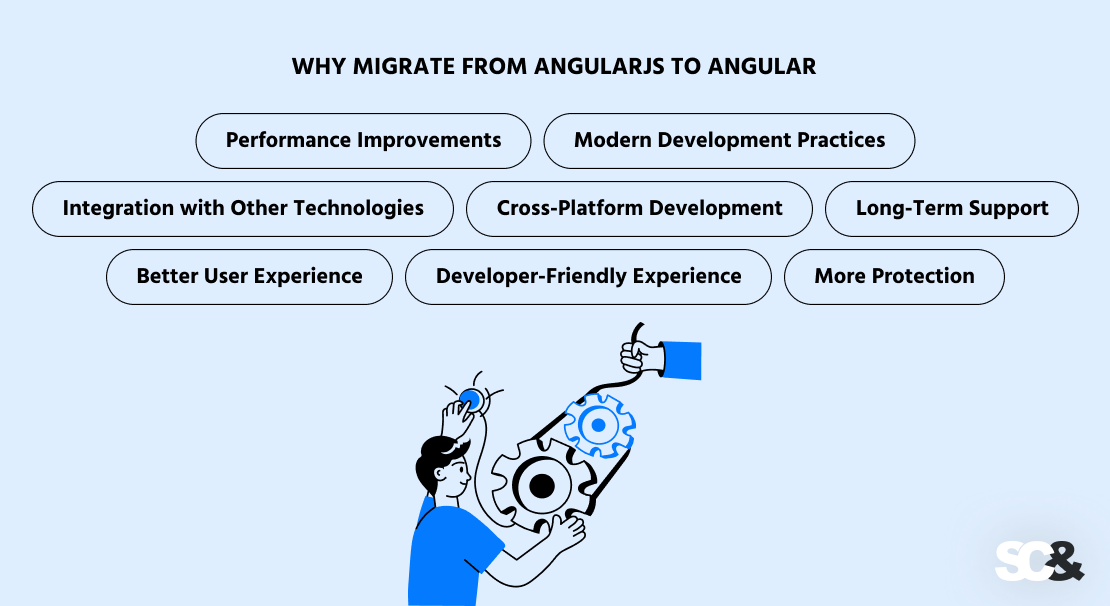
Migrating from AngularJS to Angular is no longer just a matter of keeping up with tech trends. It’s simply a proper and, in some situations, imperative move to have future-proof web software.
Performance Improvements
Angular offers a significant performance boost over AngularJS due to its contemporary architecture design and component-based architecture. Applications render faster, scale with minimum wasted effort, and are way easier to maintain over time.
The main advantage is the optimized change detection mechanism. Angular can reduce unnecessary checks using strategies like ChangeDetectionStrategy.OnPush, which limits automatic change detection for a component subtree to specific triggers (such as new inputs or events).
Modern Development Practices
Angular is built on TypeScript, which adds clear data types to JavaScript and helps developers catch errors earlier, write cleaner code, and maintain applications more efficiently over time.
Its component-based architecture breaks the application into small, independent parts. These components can be reused, tested separately, and managed more easily, especially when multiple developers or teams work on the same project.
Integration with Other Technologies
The Angular framework supports a variety of contemporary tools and libraries. For instance, Angular applications typically use services and RxJS, or Redux-inspired libraries like NgRx Store, to manage application state, and Angular Material to develop high-quality, responsive user interfaces.
Cross-Platform Development
Angular supports cross-platform development, allowing development teams to create applications that work equally well across web, desktop, and mobile environments via wrappers like Ionic and Electron.
With Angular Universal, among other things, developers can also implement server-side rendering to improve performance, accessibility, and search engine optimization.
Long-Term Support
The Angular framework is constantly evolving and maintaining its connection with Google; thus, there are frequent updates and complete alignment with web standards.
Further, having a big community ensures there is a great resource of training materials, libraries, as well as every type of support, which makes it easy to develop an application.
Better User Experience
Because of better rendering capabilities as well as optimized change detection, Angular has a better UI experience.
All these advancements make the overall usability more enjoyable and stable, even for programs involving intricate UI logic or heavy amounts of data processing.
Developer-Friendly Experience
Angular is more developer-friendly due to the rich set of tools that it can utilize. It comes with the Angular CLI, which makes component development, setup, and building easier in such a way that there is very little configuration involved in setting up the project.
More Protection
Angular has inbuilt security mechanisms developed to protect applications from all common vulnerabilities. For instance, strict contextual auto-sanitization, a secure template engine, and dependency injection helps prevent threats like Cross-Site Scripting (XSS) and injection attacks, making Angular a more confident pick for enterprise and high-security applications.
How to Assess Your AngularJS App
Before starting the migration, it’s important to understand what you’re working with. A simple assessment helps you spot problem areas and choose the right migration direction.
- Code Audit: Go through your modules, controllers, services, and directives. Then, look for outdated APIs, unused code, and overly complex logic. Cleaning up the codebase reduces technical debt and simplifies the migration procedure.
- Decide What to Migrate First: Not everything needs to be migrated at once. Identify the most important features based on business value and how often they’re used, and start with those.
- Dependency Analysis: Review external libraries and tools used in your AngularJS app. Some may work with Angular, while others may need to be replaced with modern alternatives.
- Risk Assessment: Watch out for tightly connected components, custom directives, heavy use of $scope, or complex state handling. These areas usually require extra effort during migration.
- Supporting Tools: Use dependency graphs, static analysis tools, and linters to gain better visibility into the application structure, spotlight problem areas, and simplify the overall assessment process before migration begins.
Migration Strategies
There are a number of different methods for migrating from AngularJS to Angular. Still, there is no single course that fits every application. The right strategy depends on the size of the app, its complexity, the company’s goals, and available resources.
1. Full Rewrite
A full rewrite means rebuilding the entire application from scratch using Angular. This approach is usually suitable for small or outdated applications where the existing codebase is difficult to maintain or heavily relies on deprecated patterns. A rewrite allows teams to redesign the architecture, remove technical debt, and adopt modern best practices from the start. However, it requires more time, higher costs, and attentive planning to avoid long development cycles and feature gaps.
Pros:
- Clean architecture with modern best practices
- Opportunity to remove legacy code
Cons:
- High cost and longer timeline
- Risk of introducing new bugs
When to Apply: For smaller apps or when legacy code is hard to maintain.
2. Incremental Upgrade Using ngUpgrade
The most popular strategy for large, business-critical applications is incremental migration. AngularJS and Angular can run together in a hybrid mode using ngUpgrade. That means teams can migrate the application gradually, feature by feature or module by module, without any downtime. Angular components can be downgraded for use in AngularJS, and vice versa: AngularJS services and components can be upgraded in steps. This approach reduces risk and provides the ability to do continuous delivery during the migration process.
Pros:
- Clean architecture can be achieved step by step
- Legacy code can be removed gradually without disrupting users
Cons:
- A hybrid setup adds temporary complexity
- Requires careful coordination between Angular and AngularJS parts
When to Apply: Best suited for large, business-critical applications where minimizing risk and avoiding downtime are the main conditions.
3. Using Angular Elements
Angular Elements allow Angular components to be packaged as standard web components that work directly in modern browsers. These components can be embedded into an existing AngularJS app without relying on ngUpgrade. This approach is especially useful for large or complex applications where a full hybrid setup is hard to manage. By this means, it is possible to update different portions of the application independently.
Pros:
- Ideal for partial migrations
- Enables reusing Angular components without rewriting the entire app
Cons:
- Slightly higher runtime overhead
- Not suitable for full application migration
When to Apply: Recommended for large or complex applications where specific UI parts need modernization without introducing a full hybrid architecture.
Step-by-Step Migration Process
The transition from AngularJS to Angular is best accomplished in stages, dividing the process into some clearly planned phases.
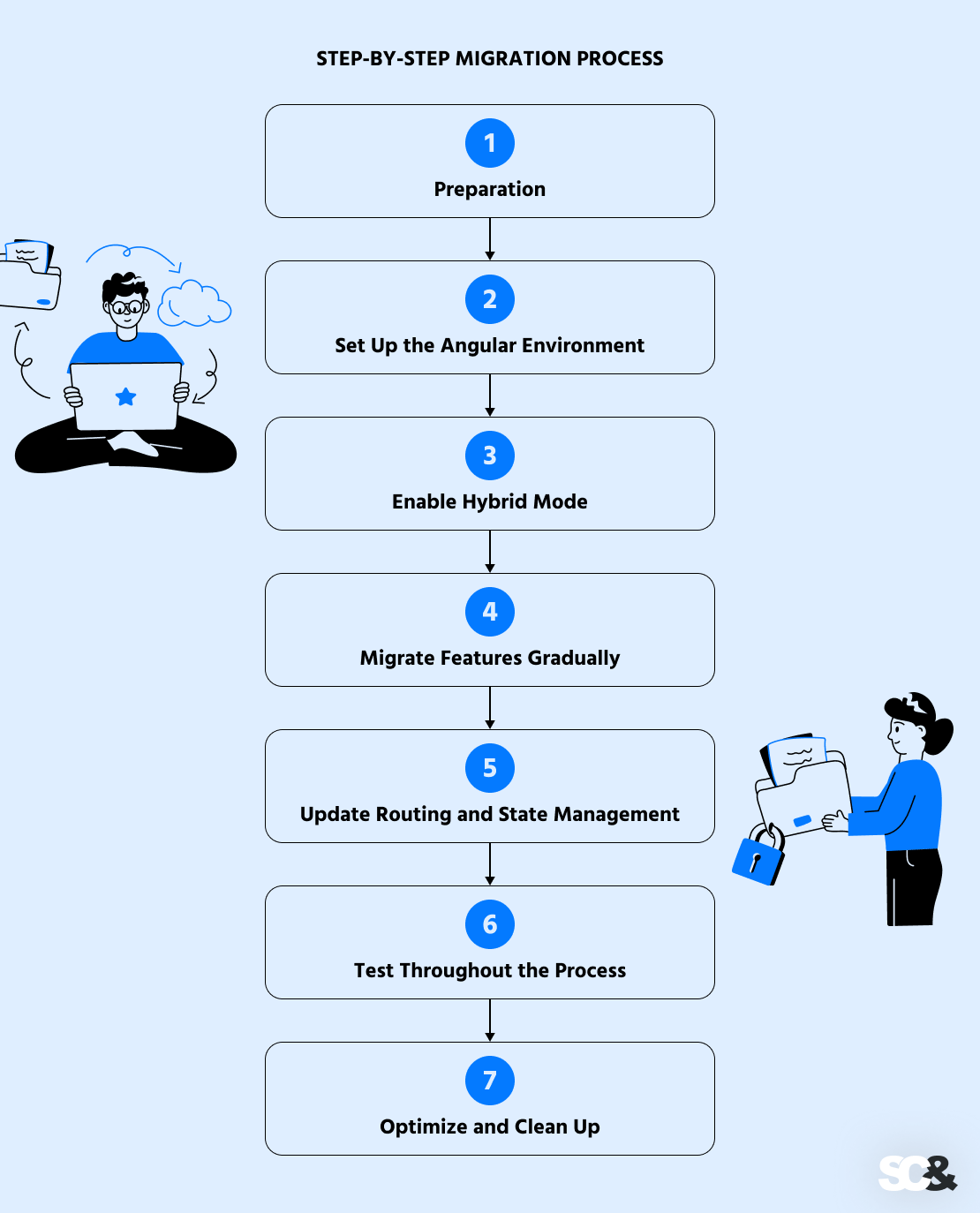
The goal of this approach is to reduce risks, avoid unnecessary downtime, and ensure the stable operation of the application during the code base modernization process.
1. Preparation
The first step is to prepare your existing AngularJS software. Start by upgrading it to the current AngularJS 1.x version to make it compatible with modern tooling and migration utilities.
Then, eliminate the deprecated APIs, unused modules, or legacy code that don’t serve a purpose anymore.
At this stage, it’s also important to improve code quality by adding or updating unit tests, introducing linting rules, and standardizing coding practices.
For example, replacing loosely structured $scope logic with controller-as syntax can make components easier to shift later.
2. Set Up the Angular Environment
Next, create a new Angular project using Angular CLI. This sets up a modern development environment with TypeScript, a standardized project structure, and optimized build configuration.
Configure core elements such as shared modules, routing, and services early on. For instance, you might create a shared UI module for common components or a core module for authentication and API communication, which will later replace similar AngularJS services.
3. Enable Hybrid Mode
To avoid a “big bang” rewrite, enable a hybrid application where AngularJS and Angular run side by side. This can be done using ngUpgrade. In a hybrid setup, Angular parts can be downgraded and used inside AngularJS templates, while AngularJS services can be upgraded for use in Angular.
4. Migrate Features Gradually
With the hybrid setup in place, begin migrating features incrementally. Start with simple, low-risk components, such as static pages or isolated UI elements, to validate your migration approach before tackling more complex functionality.
For example, an AngularJS directive used for displaying user profiles can be rewritten as an Angular component and integrated back into the existing app.
Over time, migrate more complex components, services, and business logic, replacing $scope usage with inputs, outputs, and reactive data flows.
5. Update Routing and State Management
Routing is a critical part of the migration. AngularJS routing solutions should be gradually replaced with Angular’s @angular/router. This often involves reorganizing routes into feature modules and implementing lazy loading for better performance.
State management logic may also need to be updated. Angular encourages using services, RxJS observables, or external libraries for managing shared state.
For example, data previously stored on $rootScope can be moved into dedicated services that expose observable streams.
6. Test Throughout the Process
Software testing should go on and on throughout the migration, without interruptions.
Run unit tests after each migrated feature to confirm behavior remains consistent. End-to-end tests help verify that user flows still work as expected across both AngularJS and Angular parts of the application.
Integrating tests into the CI/CD pipeline ensures early detection of regressions and prevents unstable code from reaching the production environment.
7. Optimize and Clean Up
When all features have been migrated, remove AngularJS dependencies and legacy code completely. This is the final step toward a fully Angular-based application.
Optimize the application by enabling production builds, lazy loading modules, and fine-tuning performance settings. Conduct final QA testing to demonstrate feature parity and overall stability before deployment.
Common Challenges and Solutions
Migrating AngularJS to Angular often exposes a set of technical issues, especially within complex and large-scale systems.

One of the most common problems is the difference in dependency injection patterns. AngularJS uses implicit dependency injection patterns, while Angular relies on constructor-based dependency injection using TypeScript.
This requires refactoring services and clearly defining dependencies, but once this problem is solved, the code becomes cleaner and more predictable.
Another frequent obstacle is moving away from $scope-based logic. AngularJS applications often depend heavily on $scope and $rootScope for data sharing and event handling, which can make application behavior difficult to trace.
Angular replaces this approach with a more structured data flow, using component input and output parameters, as well as reactive patterns based on RxJS.
Moving common logic into dedicated services and using observables helps simplify state management and improve code maintainability.
Custom directives must be treated separately during the migration process as well. In most AngularJS applications, there are complex directives related to DOM manipulations or transclusions.
They are not migratable through a simple process. They will most likely have to be rewritten as an Angular component or directive. They can be broken down into smaller units, which will lead to a cleaner architecture.
Best Practices for a Flawless Migration of AngularJS to Angular
A successful migration from AngularJS to Angular depends not only on the chosen strategy but also on following a clear Angular roadmap and adhering to best practices throughout the entire migration process.
First of all, the migration should be divided into small steps. Doing a complete rewrite at once would be too ambitious and time-consuming. By working in small steps, the AngularJS migration to Angular becomes way more predictable.
The second important practice is cleaning and stabilizing the AngularJS codebase before migration. Removing unused code, fixing known flaws, and reducing technical debt prevent legacy problems from being carried into the new Angular application.
One more useful strategy is to implement a consistent architecture and coding standards in advance. Defining how components, services, and modules should be structured in Angular ensures consistency as new features are migrated.
Testing should be a priority at every stage. Thorough unit and end-to-end testing ensures confidence that existing functionality remains unchanged as parts of the application are migrated.
Continuously running tests within CI/CD pipelines helps spot regressions early on and guarantees application stability.
Teams should also port simple and isolated features first. This approach allows developers to gain experience with Angular, validate the chosen tools and patterns, and refine the migration approach before tackling more complex parts of the application.
Finally, it’s essential to invest in team readiness and documentation. Providing training, sharing migration guidelines, and documenting decisions ensures that everyone follows the same approach, reduces confusion, and speeds up development.
AngularJS to Angular Migration Tools
Moving from AngularJS to Angular can be quite complex, but there are various tools and utilities that can simplify this process and reduce the likelihood of errors.
1. Angular CLI
The Angular Command-Line Interface (CLI) is a core tool for creating and managing Angular projects. It can automatically generate components, services, modules, and routing configurations, which speeds up development and ensures a consistent project structure.
During migration, Angular CLI helps scaffold the Angular side of a hybrid application and manage builds, testing, and deployment.
2. ngUpgrade
ngUpgrade is an official Angular package that allows AngularJS and Angular parts to coexist in a hybrid application. It enables gradual migration by letting developers:

- Upgrade AngularJS components and services to Angular.
- Downgrade Angular components to work in AngularJS templates.
3. Angular Elements
Angular Elements lets developers convert Angular parts into standard web components that can run in any modern browser.
This allows new Angular components to be embedded into an existing AngularJS app without using ngUpgrade. Angular Elements are particularly useful for migrating specific UI components or gradually modernizing large applications.
4. Static Analysis and Linting Tools
There are many tools (TypeScript-aware linting tools like ESLint and custom static code analyzers) that help pinpoint deprecated AngularJS APIs, unused code, and potential migration issues. These tools provide visibility into code structure, highlight risky areas, and guide refactoring decisions.
5. Dependency Graph Tools
Dependency visualization tools map the relationships between modules, components, and services in your AngularJS application. They make it easier to spot tightly coupled code, circular dependencies, or large modules that need special attention during migration.
6. Automated Code Transformers
Some open-source scripts and tools can assist in automatically converting certain AngularJS patterns to Angular equivalents. Although these tools cannot handle all cases, they are useful for repetitive tasks, such as updating service injections or converting simple directives to components.
7. Testing Frameworks
Maintaining a high level of test coverage is crucial during the migration process. Jasmine and Karma, for instance, allow teams to verify the correct functioning of the application after each migration step and ensure early detection of regressions.
AngularJS to Angular Migration Costs
Migration is a strategic step. And if you are planning it, you need to understand what factors influence the final amount on the invoice.
- Codebase Size: The size and complexity of your application significantly impact the budget. A small application with 20 well-structured components is relatively inexpensive to migrate. Conversely, a large, seven-year-old legacy application with over 200 components, outdated dependencies, and business logic spread across multiple services will require much more time and effort, greatly expanding the cost.
- Hybrid vs Full Rewrite: A hybrid strategy gives an opportunity to move gradually, thus the costs need not be paid in one lump but are spread over a period of time. A complete system overhaul will undoubtedly be more expensive initially. However, it helps diminish the accumulation of technical debt. Both methods are equally valid, anyway. The difference is only in how the costs are dispersed.
- Quality of the AngularJS App: If the quality of the AngularJS application is good, it will be less costly to carry out the migration process. If the application contains redundant logic, variables with poor names, insufficient tests, or tightly coupled components, it will require additional refactoring and testing efforts, which will increase the cost multiplier of the timeline.
- Tools and Licensing: While most migration tools are open-source, there might be certain projects that depend on commercial UI kits, analytics tools, or plugins. Any licensed tool that might need an upgrade, replacement, or integration with the new environment of Angular should also be considered in the overall budget.
- Team Structure Costs: The cost structure will depend on whether you will handle development by using internal developers, augmented staff, or outsourcing staff in full. In a scenario where you lack staff qualified to handle AngularJS or Angular migration in your current business setup, you might consider hiring Angular experts or development companies. In most instances, it is cost-effective to consider experts qualified for such work as opposed to creating such talent within.
Frequently Asked Questions (FAQs)
Do we really have to rewrite the entire app to move to Angular?
Not always. In most real projects, teams go with a gradual approach using ngUpgrade or Angular Elements. This course lets AngularJS and Angular live side by side, so features can be migrated one by one without shutting anything down. A full rewrite usually only makes sense for small apps or ones that are so outdated they’re no longer practical to maintain.
How long does an AngularJS to Angular migration usually take?
It really depends on what you’re working with. A small, well-structured app can be migrated in a few weeks. Larger, heavier, older systems with a lot of legacy code can take several months. Many Angular teams choose incremental migration, so the work is spread out and doesn’t disrupt ongoing development.
Will users actually notice better performance after migration?
In most cases, yes. Angular offers faster rendering, way better change detection, lazy loading, and tree-shaking.
What are the biggest risks during migration?
The biggest challenges usually come from tightly coupled code, complex custom directives, outdated third-party libraries, and weak test coverage. These issues can slow things down, but they’re manageable with a proper AngularJS code assessment and a gradual migration plan.
Can we port just part of the app and leave the rest for later?
Yes, and that’s actually how many teams do it. Incremental migration allows you to modernize the application module by module to reduce downtime and make large transitions much easier to manage.
Do we have to rewrite every AngularJS service right away?
No. Many services can continue working during the transition and be upgraded gradually using ngUpgrade. Over time, they can be refactored to match Angular’s patterns and TypeScript standards, improving maintainability without rushing the process
Is Angular really a good choice for large enterprise apps?
Definitely. Angular is suitable for large-scale applications as well. Its component-based architecture, TypeScript support, reactive programming model, and strong tooling make it a solid choice for enterprise systems that need to scale and remain maintainable over the long term.
How can we make sure the transition doesn’t go over budget?
Start with a clear inspection of the existing AngularJS app. App size, code quality, selected strategy, team setup, and licensing costs all affect the budget. In order to avoid surprises, prioritize features, migrate incrementally, and plan realistically to keep costs under control.
Do you need to upgrade step by step through Angular 2, 2.0, 4, 5, 8, or 12 when migrating from AngularJS?
Short answer: no. While Angular has gone through many versions such as Angular 2, 2.0, 4, 5, 8, and 12, migrating sequentially through these intermediate releases is unnecessary and generally inefficient in terms of time and budget.
Why do experts recommend skipping intermediate Angular versions?
A version-by-version migration is a common misconception that leads to higher costs and longer timelines. Each intermediate upgrade introduces breaking changes that require additional refactoring without delivering long-term value. A direct migration from AngularJS to the latest possible Angular version (for example, Angular 18/19) is a more effective approach, as it allows teams to immediately benefit from modern features like Ivy, Signals, and standalone components, while also ensuring up-to-date security and long-term support.
Who should we trust with AngularJS to Angular migration?
The best AngularJS to Angular migration service is one that combines deep Angular expertise with hands-on experience modernizing legacy systems. A reliable Angular development company will start with a thorough code audit, choose the right migration strategy, and guide the process step by step to minimize risk.
We have a large AngularJS frontend and need to move it to modern Angular. Can AI tools help with bulk refactoring and unit test updates?
Yes. AI-powered tools can significantly assist during large-scale AngularJS to Angular migrations. SCAND developers, for example, use AI-powered tools to accelerate bulk refactoring, modernize legacy patterns, and assist with updating or generating unit tests. Still, our engineers always stay fully in control of architecture, migration strategy, and quality assurance when using AI.