FlutterFlow vs Flutter: Pricing Plans & Features — Best Choice for App Development in 2026
The mobile app development market is evolving quickly, with companies looking to launch products faster without compromising quality. This shift has led to the rise of no-code tools like FlutterFlow, which are now often compared to full development frameworks such as Flutter. But despite similar goals, these tools are not always direct alternatives — in many cases, they are built for completely different types of projects and development needs.
Why Flutter Dominates App Development in 2026 and Fuels the Growth of No-Code Platforms
In 2026, Flutter continues to hold a strong position among cross-platform technologies, remaining one of the key tools for building modern mobile and web applications. According to Statista, the market for digital products and mobile apps is steadily growing, especially in segments where development speed and user experience are critical.
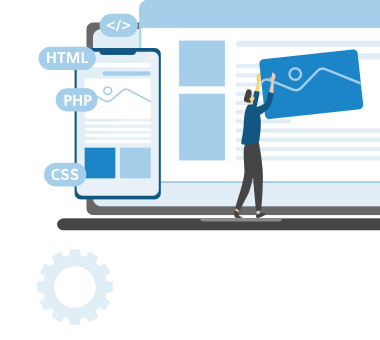
Against this backdrop, interest in no-code and low-code platforms is rapidly increasing. Companies are increasingly focused on reducing time-to-market and development costs, making tools like FlutterFlow especially appealing. By using FlutterFlow, teams can build applications through a visual builder with a drag-and-drop interface, enabling faster launches and even creating apps without deep coding expertise.
Speed and quality are no longer trade-offs — they have become baseline expectations.
That is why the FlutterFlow vs Flutter comparison has become a key consideration for companies planning to launch or scale digital products in 2026.
What Is Flutter? A Developer-Focused Coding Framework
Flutter is an open-source framework developed by Google for building cross-platform applications using full-scale coding. Unlike FlutterFlow, which focuses on visual development, Flutter relies on writing code and requires the involvement of an experienced developer.
The main advantage of Flutter lies in its flexibility. Developers have full control over the application, including the user interface, business logic, and backend integration. This makes Flutter an ideal choice for complex projects where standard no-code platform solutions are no longer sufficient.
Using Flutter, developers can create applications for web, desktop, iOS and Android platforms without maintaining separate codebases. As the product evolves, maintaining and scaling it becomes much more manageable.
Flutter is the preferred choice for developers who prioritize performance and control. Thanks to its high execution speed and native compilation, Flutter applications deliver a strong user experience. At the same time, the role of the developer remains critical, as the final quality and scalability of the solution largely depend on the team’s expertise.
What Is FlutterFlow? A No-Code App Builder Overview
FlutterFlow is a modern no-code platform that enables users to build fully functional mobile and web applications without deep coding knowledge. Essentially, it is a visual app builder based on Flutter that allows teams to design interfaces and implement business logic using an intuitive visual builder and drag-and-drop interface.
Unlike traditional app development, which typically requires a team of developers, FlutterFlow makes the process accessible even to non-developers. This is especially valuable for startups and companies that need to quickly validate ideas or launch an MVP without significant investment in development. By using FlutterFlow, it is possible to build complete products, ranging from simple internal tools to customer-facing mobile apps.
One of the platform’s key advantages is the ability to create a FlutterFlow app using ready-made templates and components, which significantly accelerates development. At the same time, FlutterFlow provides a solid set of features, including backend integration, logic configuration, and connections to third-party services.
From an integration perspective, FlutterFlow supports solutions such as Firebase and Supabase, enabling real-time functionality, user authentication, and data storage without the need to write complex server-side code. Additionally, API integration is available, allowing developers to connect external services and extend application functionality.
Overall, FlutterFlow offers a fast and convenient way to build applications without requiring deep technical expertise. However, despite the advantages of a no-code app builder, it is important to understand that the platform has limitations, particularly when it comes to complex logic and advanced customization.
FlutterFlow vs Flutter: Key Differences Explained
When deciding between FlutterFlow and Flutter, it really comes down to your priorities — how fast you need to move and how much control you want over the product.
Although both tools are used to create applications, they are based on completely different approaches.
| Aspect | FlutterFlow | Flutter |
| Approach | No-code / low-code platform with a visual builder | Full-fledged coding framework |
| Development Speed | Very high, ideal for rapid MVPs and getting started with FlutterFlow | Moderate, depends on developer experience |
| Flexibility | Limited customization, partially supported via custom code | Full control and flexibility |
| Backend & Integration | Firebase, Supabase, basic API integration | Any backend, advanced API integration |
| Code Ownership | Code export available, but with limitations | Full access to source code |
| Use Case | No-code apps, apps without complex logic | Complex and scalable applications |
FlutterFlow vs Flutter: Key Differences
FlutterFlow Features in 2026: What Does This Platform Offer?
In 2026, FlutterFlow is a leading no-code/low-code platform for fast app development. It enables teams to build mobile and web applications without deep coding, while covering most business needs.
Visual Builder and Drag-and-Drop Interface
At the core of FlutterFlow is a visual builder with a drag-and-drop interface that allows users to create user interfaces in a matter of hours. Ideal for quickly testing ideas or launching MVPs with minimal developer involvement.
Real-Time Development and Faster App Creation
FlutterFlow provides a real-time preview that lets users instantly see changes in the app. This significantly speeds up development, simplifies testing and makes it easy for even those with no programming experience to get started with FlutterFlow.
Backend Integration with Firebase and Supabase
FlutterFlow allows integration with backend services such as Firebase and Supabase. This enables you to implement authentication, work with databases and utilise real-time features without writing the server-side code required to build scalable applications on FlutterFlow.
API Integration and Advanced Features
The platform also supports API integration, allowing users to connect third-party services and extend application functionality. Even though FlutterFlow is built as a no-code tool, it still handles more advanced scenarios, so you don’t have to switch to full development right away.
Collaboration Features and Team Workflow
Working on a project with a team is straightforward. FlutterFlow includes built-in collaboration features, so multiple people can work on the same app without getting in each other’s way. It works just as well for solo projects as it does for commercial teams.
Deployment to App Store and Google Play
When your app is ready, FlutterFlow gives you the tools to prepare it for release on the App Store and Google Play. You can export the code, configure builds, and move all the way from development to launch in one place.

FlutterFlow Pricing: Plans, Costs, and Subscription Model
Understanding FlutterFlow pricing is essential when choosing between a no-code platform and a traditional coding approach. Unlike conventional development FlutterFlow uses a subscription model that makes monthly costs more predictable and enables faster project launches.
FlutterFlow Pricing Plan Details
Each FlutterFlow pricing plan differs in terms of available features and limitations. The free version provides access to the visual builder and allows users to create simple apps, but publishing and integration options are restricted. Paid plans expand backend capabilities, introduce API integration, and provide access to code export, enabling the use of Flutter code outside the platform. Some advanced features are only available in higher-tier plans, which is important to consider when planning app development.
FlutterFlow Costs and Monthly Cost Breakdown
From a cost perspective, FlutterFlow’s subscription model makes expenses more predictable compared to traditional coding. The monthly cost varies depending on the selected plan, ranging from free usage to higher-priced tiers with expanded functionality. It is also important to consider additional costs, such as backend services like Firebase or Supabase, as well as third-party APIs.
FlutterFlow Subscription: What Do You Actually Pay For?
A FlutterFlow subscription essentially covers access to the platform as a development tool, including the visual builder, ready-made components, integrations, and infrastructure for building applications. Users are paying for speed, convenience, and reduced reliance on deep coding. However, this comes with trade-offs: access to certain features depends on the plan, and customization options may be more limited compared to full development with Flutter. That is why it is important to evaluate not only the pricing model but also the actual needs of your project before choosing a specific FlutterFlow plan.
Migrating from FlutterFlow to Flutter: When and How to Scale Your App
As applications grow, the requirements for flexibility, performance, and scalability increase. What worked well at the MVP stage may no longer be enough to support long-term product development. In such cases, migrating to Flutter becomes a strategic step toward building a more robust and scalable solution.
When FlutterFlow Becomes a Limitation
Limitations typically appear when more advanced functionality is required. Complex business logic, custom integrations, and performance optimization go beyond what a visual builder can efficiently handle. It also becomes difficult to implement non-standard features or maintain clean architecture as the product evolves.
What Migration Actually Involves
At SCAND, the process usually starts with a full review of your existing app. The team looks at how everything is structured, what features are already in place, and which parts can be reused. If code export is available, it’s carefully analyzed — but in many cases, some parts are easier to rebuild than to fix.
From there, the app is reworked using Flutter with a clean architecture that’s designed for growth. Instead of copying everything as-is, the focus is on making the product easier to maintain, scale, and improve over time.
The UX/UI also gets an upgrade. Rather than duplicating every screen, designers refine layouts, simplify interactions, and make the app feel more polished and consistent.
All integrations — APIs, backend services, third-party tools — are reconnected in a more flexible and reliable way. This removes many of the limitations that come with no-code platforms.
Finally, the app goes through proper testing and optimization to ensure it runs smoothly, performs well, and is ready for future development.
In short, migration is not a quick transfer — it’s a strategic rebuild that gives your product a solid foundation for long-term growth.
Why Choose SCAND for Flutter and App Development Services
At SCAND, real-world experience in Flutter and mobile development is brought into every project. The focus is on turning ideas into working products — without unnecessary complexity. The full development cycle is covered, from idea validation and UX design to launching apps on the App Store and Google Play. The result is not just an app built with FlutterFlow or Flutter, but a product that can actually grow and evolve over time.

Flutter development is one of the areas we rely on the most. It allows high-performance and flexible apps to be built when projects require more than basic functionality. At the same time, low-code and no-code tools like FlutterFlow are used when speed matters — for example, when an MVP needs to be launched quickly or budgets need to be kept under control.
The technical side is also handled end-to-end. Custom backends are developed, APIs are integrated, and systems with real-time functionality can be built. This is especially relevant for more complex or enterprise-level products, where standard solutions are often not enough.
By choosing SCAND, businesses gain more than just development services — they gain a technology partner. The team helps determine whether FlutterFlow is the right choice for a specific project or whether a full Flutter solution with custom code would be more effective. As a result, clients receive a solution tailored to their needs and ready for scaling. If you are planning to launch a mobile or web app, it is worth consulting with experts and discussing end-to-end development. This helps avoid common pitfalls and accelerates time-to-market.
Conclusion: FlutterFlow vs Flutter — Which Platform Should You Choose in 2026?
The comparison of FlutterFlow vs Flutter shows that both tools play an important role in modern app development, but they are designed for different scenarios. FlutterFlow makes development faster and more accessible, enabling teams to build no-code apps and launch projects without deep coding expertise. At the same time, Flutter remains a powerful solution for building complex, scalable applications with full control over code and architecture.
In 2026, the choice between these approaches increasingly depends on business goals. For startups and smaller projects, FlutterFlow is a strong option, especially when rapid validation and cost efficiency are priorities. For companies focused on growth and long-term development, Flutter provides the flexibility and performance required to scale.
Ultimately, the right decision is not just about choosing a platform, but about choosing the right development approach. If your project requires speed and simplicity, FlutterFlow can be a great starting point. If scalability, customization, and control are critical, Flutter remains the more reliable choice.
Frequently Asked Questions (FAQs)
What is the difference between FlutterFlow and Flutter?
The main difference lies in the approach to development. FlutterFlow is a no-code/low-code platform with a visual builder, while Flutter is a full-fledged development framework that requires coding. Flutter gives full control and flexibility, whereas FlutterFlow focuses on speed and ease of use.
Is FlutterFlow suitable for building production apps?
Yes, FlutterFlow can be used to build production-ready applications, especially for MVPs, internal tools, and simple customer-facing apps. However, for complex products with advanced logic or scalability requirements, Flutter is usually a better choice.
What are FlutterFlow pricing plans in 2026?
FlutterFlow offers multiple pricing tiers designed for different users — from beginners to enterprise teams. These typically include: A free plan with limited features Paid plans that unlock integrations, API access, and code export An enterprise plan with advanced security, scalability, and team collaboration features
How much does FlutterFlow cost per month?
The FlutterFlow monthly cost depends on the selected plan. There is a free version, while paid subscriptions vary based on features and usage. Higher-tier plans include advanced functionality like backend integrations and code export. Additional costs may also come from services like Firebase, Supabase, or external APIs.
What do you actually pay for with a FlutterFlow subscription?
With FlutterFlow, you’re paying for speed and convenience. The subscription gives access to a visual builder, ready-made components, integrations, and infrastructure for building apps without deep coding. However, more advanced features are only available in higher-tier plans.