How to Implement Product Information Management (PIM): A Complete Guide
Managing product information has become increasingly complex. Businesses today operate across multiple sales channels, regions, and platforms, with each requiring valid, correct, and up-to-date product data.
Without a centralized system, product information quickly becomes fragmented. Teams start to rely more on spreadsheets, disconnected tools, and manual processes, which leads to discrepancies, holds, and errors.
Product information management (PIM) addresses this challenge by centralizing and streamlining how product data is managed and distributed. However, successful implementation requires more than selecting a tool; it demands a systematized and well-planned approach.
What Is Product Information Management?
A product information management system is a tool that enables organizations to collect, manage, enhance, and distribute product information using a single platform.
The key point about a PIM system is that it acts as the central location for all information associated with products. Specifically, product information refers to the description of the product, technical information, product pictures, prices, and localized information.
Instead of keeping all of this data in disconnected systems, it is centralized in one place to make management way simpler.
This implies that organizations do not need to create and publish product information several times since it can be created once and published through multiple channels.
When Do You Need a PIM System?
In general, a PIM system becomes important when managing product data begins to slow down your operational processes, create inconsistencies, or limit your ability to scale.
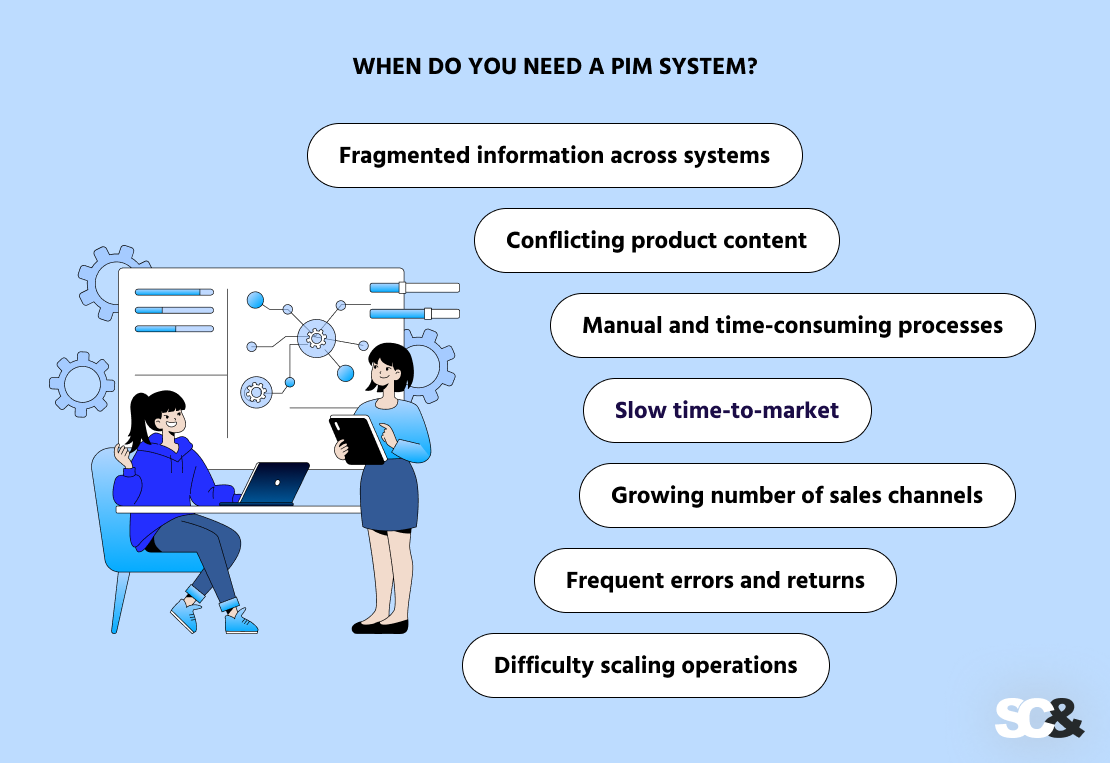
What starts out as a perfectly manageable process (often run using spreadsheets, shared network drives, or basic tools) can quickly turn into a bottleneck as your business grows.
But specifically, what are the signs that indicate it’s time to implement an effective product management system?
- Fragmented information across systems: If you have your product data across multiple places, such as ERP systems, spreadsheets, supplier files, and e-commerce platforms, and find it hard to streamline your product data management.
- Conflicting product content: The same product appears differently across channels, with mismatched descriptions, specifications, or images, which can confuse customers and damage brand credibility.
- Manual and time-consuming processes: Teams spend much time copying, updating, and verifying product data instead of concentrating on higher-value tasks.
- Slow time-to-market: Launching new products or updating existing ones takes longer than expected due to weak workflows and a lack of centralized control.
- Growing number of sales channels: Managing product data for websites, marketplaces, mobile apps, and physical catalogs becomes extremely complex without automation.
- Frequent errors and returns: Incorrect or incomplete product information can lead to customer dissatisfaction, frequent returns, and lost revenue.
- Difficulty scaling operations: As your business grows, your current processes cannot keep up with the growing volume of product data and updates.
Common Challenges in PIM Implementation
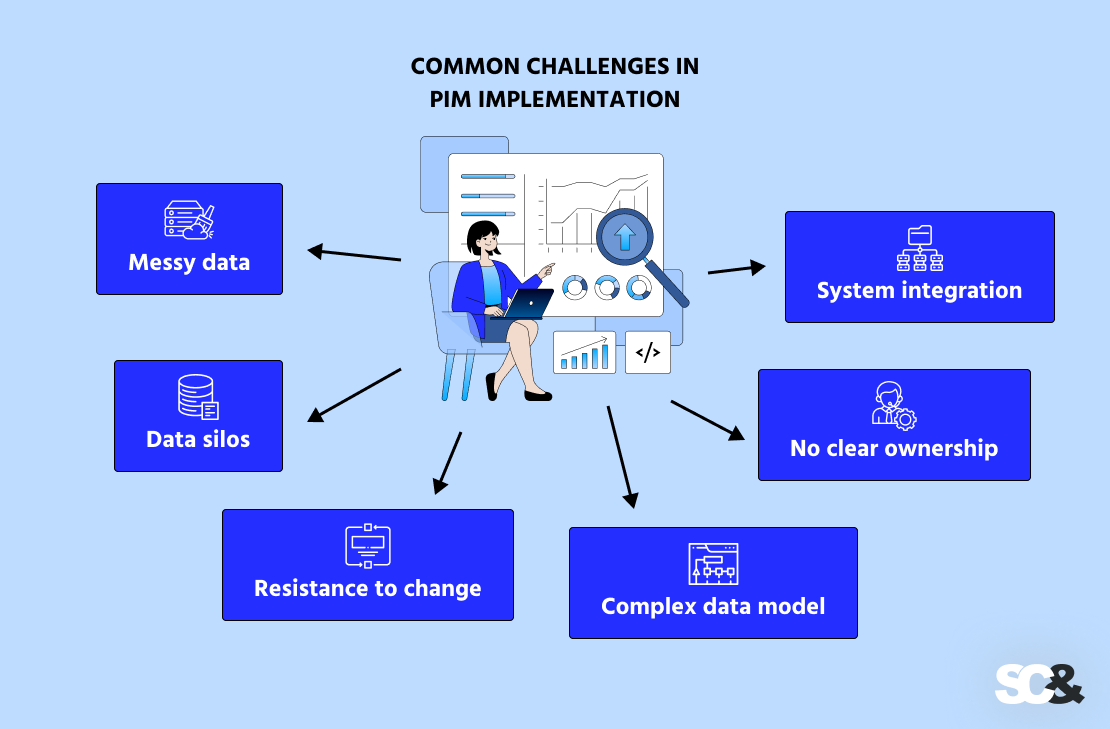
Implementing a PIM system can yield significant benefits for a business; however, this process is rarely simple or purely technical. Most challenges arise not from the software itself, but rather from data complexity, the need for organizational alignment, and integration requirements.
Organizations that view PIM implementation service solely as a software deployment project often encounter delays and unexpected difficulties.
One of the most serious challenges is the state of existing product data. In many cases, this data has been managed over the years using spreadsheets and disparate systems, resulting in inconsistencies, duplicates, and information gaps.
For a PIM system to operate effectively, this data must be cleansed, standardized, and validated, a process that requires both time and much attention.
Another common challenge is data fragmentation, i.e., information scattered across various systems and teams. Product information is often distributed across ERP systems, vendor files, e-commerce platforms, and internal documents, with different departments responsible for different segments of the data.
This leads to the creation of “information silos” and hinders the establishment of a single source of truth. The successful implementation of a PIM system requires both technical consolidation and organizational alignment.
A lack of clear accountability for data further complicates this process. When no one is specifically responsible for keeping product information up to date, its quality inevitably deteriorates over time.
Implementing data governance mechanisms, defining roles, responsibilities, and data flows, is critical to ensuring that data remains accurate and current long after the system implementation is complete.
Integration presents another problem. A PIM system must interface with existing platforms; however, disparities in data formats, the presence of legacy systems, and technical limitations can seriously complicate this process.
Step-by-Step: How to Implement a PIM System
The implementation process of a PIM system is quite complicated and calls for careful consideration at each stage, from planning to realization. However, with the right approach, such implementation can be more successful.
1. Specifying Goals and Success Metrics
First, it is essential to decide on the business objectives that are expected to be achieved through the use of PIM in the company’s processes. This may be increasing the quality of information about a product or reducing the period of time needed for its release on the market.
Defining KPIs and ROI will help you measure the effectiveness of the system integration process and prepare a detailed implementation plan.
2. Auditing and Consolidating Your Existing Data
Before adopting a PIM solution, it is important to determine the current location of your product information. In most companies, the data is scattered all over, from ERP systems to spreadsheets, vendor databases, and e-commerce sites.
Performing an audit and cleaning data helps you pinpoint all locations, analyze the quality of the product information across channels, and get ready for collecting digital assets into the PIM system for seamless transfer.
3. Cleaning and Standardizing Data
After having found out all the necessary data sources, the next step will be their cleaning and normalization.
Cleaning of the data includes eliminating duplicates, correcting errors, and developing naming conventions. High-quality and proper structure of data play an important role in the efficient functioning of a PIM solution.
4. Thinking of a Data Model and Design
An explicit data model will help in structuring the product information in your new system. This includes categorizing the products, defining the product attributes, specifying the technical requirements, as well as allowing for product variations and localization needs.
5. Choosing the Right PIM Solution
Choosing the proper PIM solution should be based on your company’s particular business processes. The main issues to be thoroughly considered include scalability, integration, usability, and flexibility.
The selected system should fulfill not only the current but also the future business needs.
In such cases, companies usually have to decide whether to opt for an existing PIM solution or develop their own PIM system.
Off-the-shelf platforms typically offer faster deployment and come equipped with a suite of pre-configured features, making them an excellent choice for addressing standard operational tasks.
On the other hand, the organization would be required to make changes in the existing workflow according to the restrictions of the tool, which, in the long run, may turn out to be a limitation.
Conversely, custom-built PIM solutions are created in accordance with specific business requirements, digital asset data structures, and integration requirements in mind.
This approach offers better flexibility, which means you can fine-tune workflows, support complex product models, have improved data accuracy, and integrate with any systems.
6. Planning Integrations
A PIM system does not function in isolation; it must be integrated with existing systems, such as ERP platforms, e-commerce solutions, and Digital Asset Management (DAM) tools.
Careful integration planning ensures a stable flow of data between systems, thereby reducing the volume of manual labor.
7. Migrating Data to the PIM System
Following the preparation of information and infrastructure, the next phase is data migration.
This involves importing structured data into the PIM system, verifying its quality, and testing data streams between systems. Sweeping validation at this stage is necessary to prevent challenges such as data inaccuracies when the system goes live.
8. Setting Up Workflows and Governance
To maintain data quality over the long term, it is important to establish clear workflows and governance mechanisms. This means clarifying roles and responsibilities, setting up approval procedures, and implementing data quality standards.
9. Training Teams and Driving Adoption
Even the best PIM system will prove useless without proper end-users adoption and change management. Employees must undergo training and onboarding, and familiarize themselves with the new accompanying processes.
Organizing training sessions, providing documentation, and offering ongoing support help ensure that employees embrace the system and use it on a regular basis.
10. Launching and Optimizing
Finally, the implementation phase of the PIM system needs to be conducted gradually in order to mitigate any risks. Once the system is put into use, you need to evaluate its performance and get feedback from users. PIM integration does not end with the initial installation but remains a continuous process.
Best Practices for Successful PIM Implementation
For an effective introduction of PIM systems, a company should not only have the software in place but also implement certain practices and follow some rules:

- Build your initial data model so that it will be scalable enough for your growing catalog.
- Start with data and prioritize data quality over automation since accurate and standardized data is the key prerequisite of PIM success.
- Keep complexity to a minimum in order to build effective workflows, manageable attributes, and integrations.
- Think ahead and plan your future growth with regard to the growing number of products, channels, and requirements.
Whereas these processes form a sound basis for success, there are cases when extra professional assistance becomes necessary.
Working together with an implementation partner will surely come in handy. For example, SCAND can not only act as PIM consultants regarding strategy and proper execution, but also independently develop and implement the desired solution.
Such an approach will help support the rollout, adoption, and long-term scalability while letting your internal teams focus on more important tasks.
Common Product Data Management Mistakes to Avoid
Implementing a PIM system can bring big benefits, but many organizations run into problems that are easy to prevent.
- Skipping Data Cleansing: A common mistake is moving messy or inconsistent data into the PIM and hoping the system will fix it. Duplicate entries, missing information, or errors can create bigger problems later. Cleaning and standardizing your data before migration is essential.
- Ignoring Resistance to Change: Even a perfect PIM system won’t work if teams don’t use it. Without proper training and clear workflows, employees may continue using old methods, reducing the system’s impact.
- Overcomplicating the System: Trying to make the system handle every possible future need can make it too complex. Too many attributes, rules, or workflows can slow things down and confuse users.
- Poor Integration Planning: If the PIM isn’t properly connected to other systems, such as ERP, e-commerce platforms, or DAM tools, data can get stuck in silos and negatively affect operational efficiency.
- No Clear Ownership: When no one is responsible for keeping product data accurate and up to date, mistakes pile up. Defining clear roles and governance helps maintain data quality over time.
Frequently Asked Questions (FAQs)
What exactly is a PIM system?
A PIM system is basically a central platform that helps you manage all your product information in one place. It makes them easy to keep your data attributes consistent and share it across multiple sales channels, like your website, marketplaces, and catalogs.
How long does it take to implement a PIM system?
That really depends on how complex your product data and systems are. For some companies, it can take just a few months, while for larger, more complex setups, it could take a year or more.
What are the biggest challenges when rolling out a PIM?
From our experience, the main challenges hindering effective PIM implementation are preparation and data enrichment, integration with existing systems, data migration, and adoption. If these aren’t handled properly, the system won’t deliver its full benefits.
How much does a new PIM system cost?
It varies a lot depending on the platform you choose, how much customization you need, and the scope of implementation. Costs can range from a moderate investment for simpler setups to a larger budget for enterprise-scale strategic solutions.
Can small businesses benefit from a PIM system too?
Absolutely! PIM platforms support data accuracy and consistency, so even smaller businesses with growing product catalogs can benefit. They help keep records organized, reduce errors, distribute product data, and improve customer experience across all marketing channels and touchpoints.