
MathML Kit for Adobe CС
Native MathML formulas support tool for InDesign documents
Description
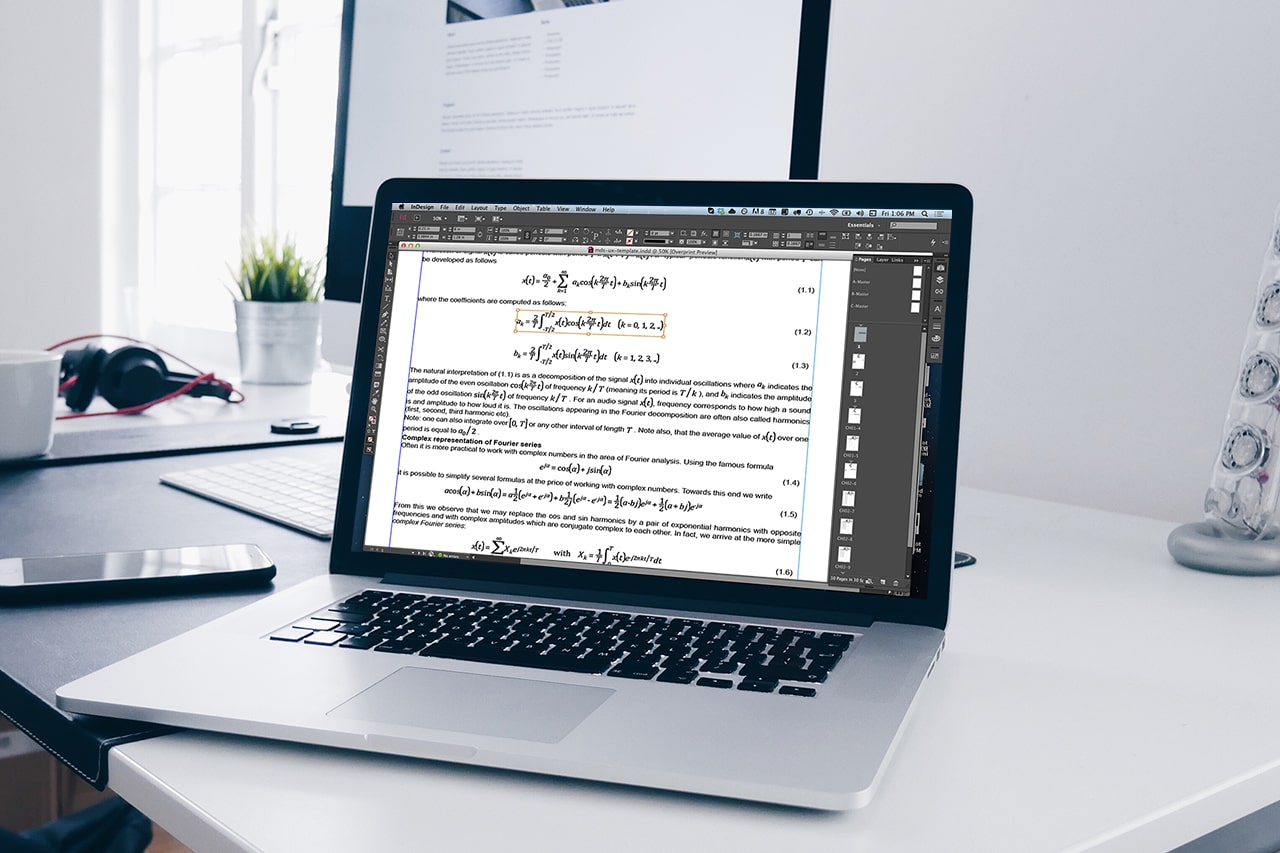
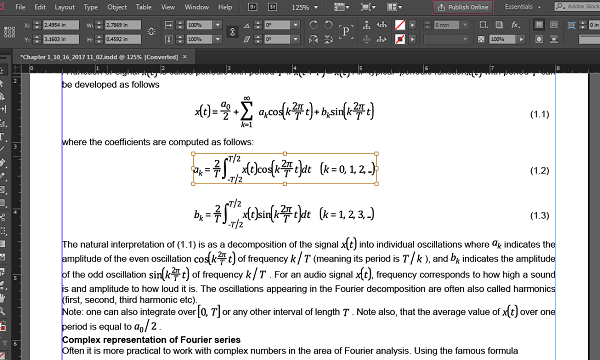
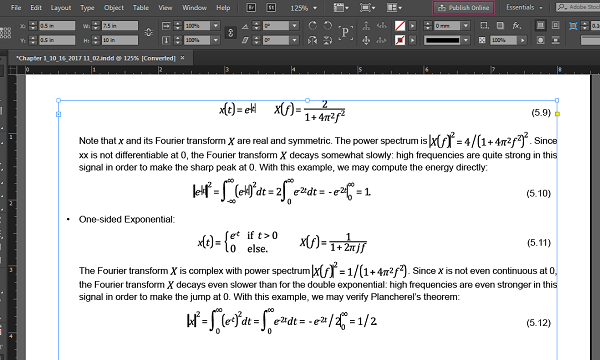
MathML Kit provides support for mathematical equations in MathML format in Adobe InDesign Server, Adobe InDesign, and Adobe InCopy. MathML Kit provides the native placement of MathML files without any extra conversions. From the Adobe InDesign side, a MathML file is a vector shape and it is placed as a vector in the EPS, PDF, or other formats.
Why MathML Kit for Adobe СС

MathML Kit has been designed primarily for one function: the high-quality printing of the mathematical formulas on paper. Major browsers support the MathML format, and it is widely used. However, for printing, it should be converted to a vector (EPS or PDF) or raster format. As a result, the converted images are no longer maintainable and in many cases have poor quality.
We have created our own implementation of the SVG format support named SVG Kit for Adobe Creative Cloud, and currently, we introduce the MathML basic format support in addition to SVG.
Our solution does not ensure any MathML editing capabilities; it just provides you with an ability to place MathML formulas into the InDesign documents manually or in an automated way.
Supported Products & Compatibility
MathML Kit supports the following Adobe products on Windows and macOS:
Windows
- Adobe InDesign — CC 2024, 2025, 2026
- Adobe InDesign Server — CC 2024, 2025, 2026
- Adobe InCopy — CC 2024, 2025, 2026
macOS
- Adobe InDesign — CC 2025, 2026
- Adobe InDesign Server — CC 2025, 2026
- Adobe InCopy — CC 2025, 2026
Previous versions
- Adobe InDesign — CS6–CC 2019
- Adobe InDesign Server — CS6–CC 2019
- Adobe InCopy — CS5.5–CC 2019
MathML support
- MathML 2.0 presentation extended support.
- MathML 2.0 content basic support.
- MathML 3.0 basic support.
Screenshots
Manual
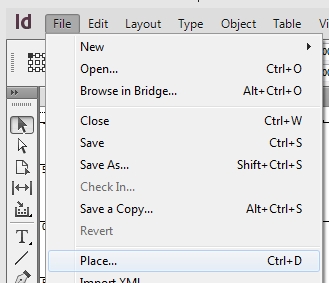
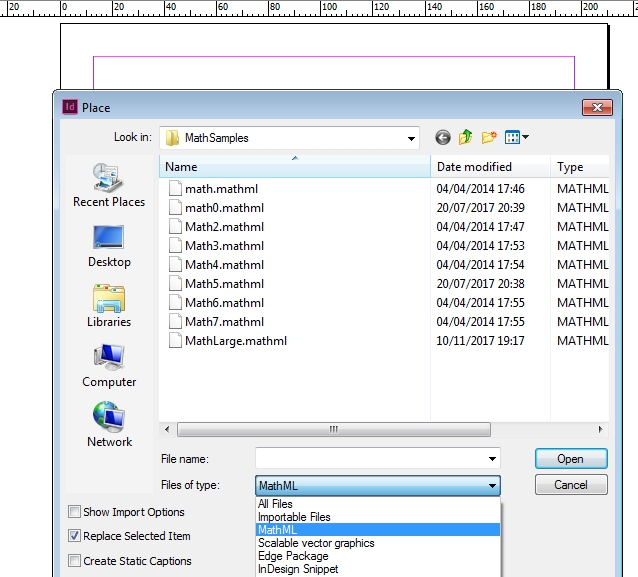
After installing MathML Kit, go to File > Place menu. There you will see MathML in the list of supported file formats. MathML Kit does not have a built-in visual editor for formulas, but you can use your favorite editor from the Links panel as usual.

Troubleshooting
If the MathML file format does not appear in the dialog window, please make sure the installation was completed without errors.
We have an embedded logging facility in MathML Kit. You can find it in the TMP folder at your disk root, with jlong.log and SvgKitJava.log files (logging facility is shared between SVG Kit and MathML Kit so make sure you got the right files). If the issue persists, send the log files to svg@scand.com and we will be able to help you.
Download & Purchase
Download Free Trial or Buy Full Version
You can also request any specific features you need — order our custom software development services, fast and cost-effective.
Related Products


Svg Kit for Android
SVG Kit for Android is a flexible and quite fast library supporting SVG Tiny specs. The amazing library developed by our company just do it.

PubTyper
PubTyper is the answer to the question on how to merge PDF files in Adobe, as well as files of any other Adobe-supported format.