






Outlook4Gmail 
Download and Install Outlook4Gmail
Is there a chance to take up the challenge of managing a wide variety of accounts, profiles and contacts used every day at work or at home? If you frequently use Outlook and have at least one Google account, the need to synchronize your Outlook and Gmail contacts becomes evident quite soon.
Outlook4Gmail is a free must-have Outlook add-in providing easy contacts synchronization of your Outlook and Gmail accounts and address books.
This add-in uses the maximum correspondence of Outlook and Gmail contact details: Name, Company, Phones, Emails, Addresses, Dates, Persons, Notes, etc.
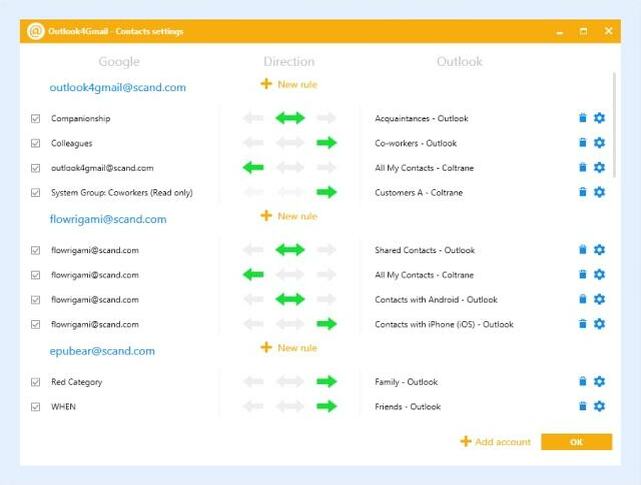
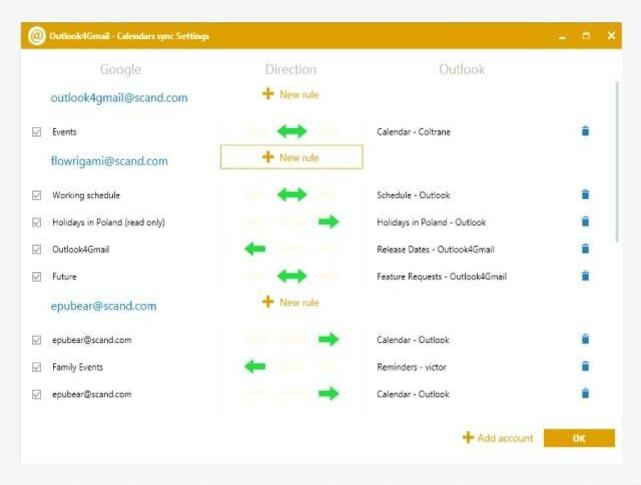
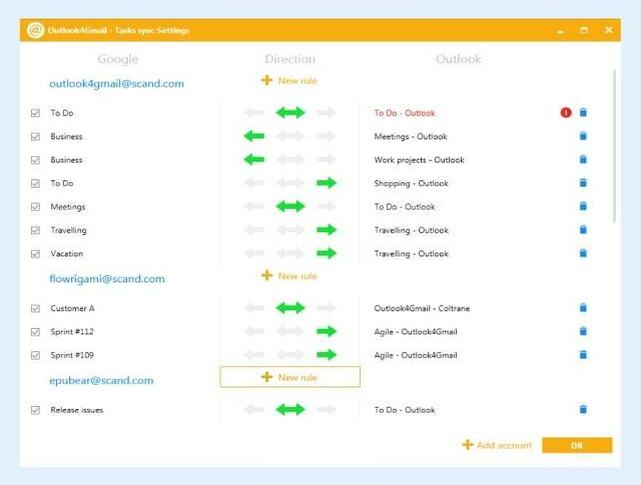
You define the direction of synchronization/update: you can sync or update either the Outlook or the Gmail address book (one-way synchronization) or choose to update both accounts simultaneously (two-way synchronization).
During the synchronization process "Full Name" will be the defining key field. Should this field miss, the fields "Email1Address" in Outlook and "PrimaryEmail" in Gmail will be checked for correspondence. If identical addresses are present in different address books, the user can define the rule for conflicts resolution: it is possible to opt among the Outlook contacts priority, the Gmail contacts priority or the priority of recently updated contacts.
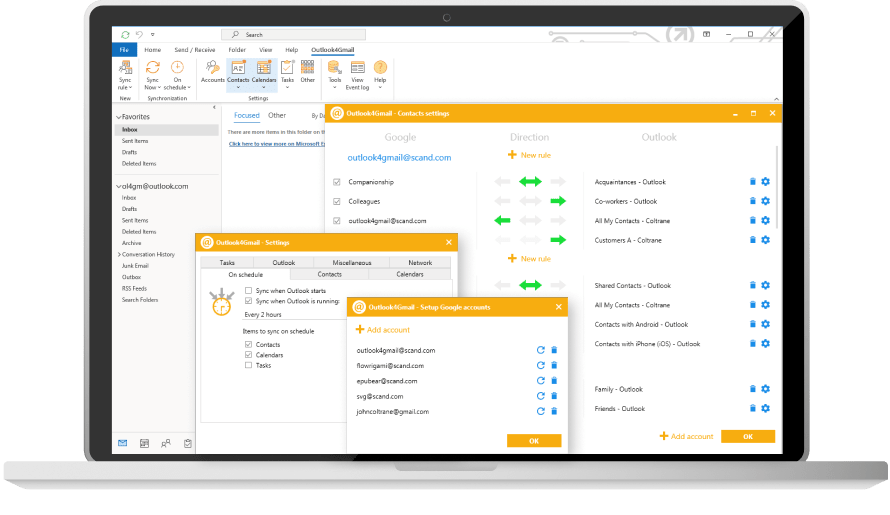
What's more, Outlook4Gmail allows synchronizing an unlimited number of Google accounts - you are able to define and synchronize a set of address books in real-time mode. If you select two-way synchronization the data will be read and contacts will be updated in two iterations that will result in synchronizing all address books – both for Outlook, and for all Gmail accounts.
To automate the synchronization process one should just enable the "Real Time Items Update" option. Thus in case of any change in contact details, adding a new contact or deleting an existing one, Outlook4Gmail will run automatically in the background to execute appropriate updates in accordance with the Gmail accounts list and synchronization options.
Apart from synchronizing Google contacts with the Outlook ones, the add-in syncs Outlook contacts to Google contacts. Another unique Outlook4Gmail feature is automatic check-ups for updates when Outlook is launched. All you need is to configure the settings once and that would be enough for the add-in to update your contacts information automatically without any efforts from the user side.
If you use Outlook for more than one work and personal stations you can easily synchronize all clients by completing first a two-way synchronization of one of Outlook clients with the required number of Gmail accounts.
Secure connection is used to synchronize items with Gmail. As Google uses only HTTPS (Hypertext Transfer Protocol Secure) for its own data we also use it - otherwise connecting to Gmail would be impossible.

Outlook4Gmail features:
- Two-way synchronization of contacts that makes all address books identical after the sync process is over;
- Support of large amount of data to be synchronized;
- Outlook's user interface keeps responsive during data synchronization, the synchronization process can be canceled;
- Real-time synchronization/update when Outlook address book is being changed;
- Possibility to set the Gmail account list used for synchronization based on 'one-to-many', 'many-to-one' and 'many-to-many' schemes;
- One-way synchronization of contacts when the target address book may be either in Outlook or Gmail, while the source one is declared as read-only;
- Synchronization of both main and additional properties of a contact (Name, Company, Phones, Emails, Addresses, Dates, Persons, Notes, etc.);
- Tracking and viewing events logs of the synchronization/update process;
- Improved application ribbon that displays all application features (requires MS Outlook 2007 or higher);
- Assignment folders to accounts;
- Syncronization filter to skip synchronization of unreliable contacts without required information, such as email address or phone number.
Information safety
Scand guarantees that it does not collect, possess, sell or use any such information as mailing lists or contacts of Outlook4Gmail users for any purposes. Such information is stored only on your computers and your Outlook and Gmail accounts. See also our Privacy Policy and Terms of Use.
Requirements:
- MS Outlook 2003 (11.5.x), 2007 (12.x), 2010 (14.x) x64 and x86, 2013 (15.x) x64 and x86;
- Windows® 2000, XP, Vista, 7 or 8 (both platforms x64 and x86);
- At least a 1GHz processor, 256 MB RAM;
- 10MB of free disc space at system drive.
Support:
Support Email: outlook4gmail@scand.com